How to print a digital download at home or at a print shop
Printing a digital portrait well starts with the file: its pixels, format and shape. Then choose the paper and printer, make a test print and let it dry fully.
By Purrealism. Part of Art prints and paper: how a portrait print is made, sized and kept.
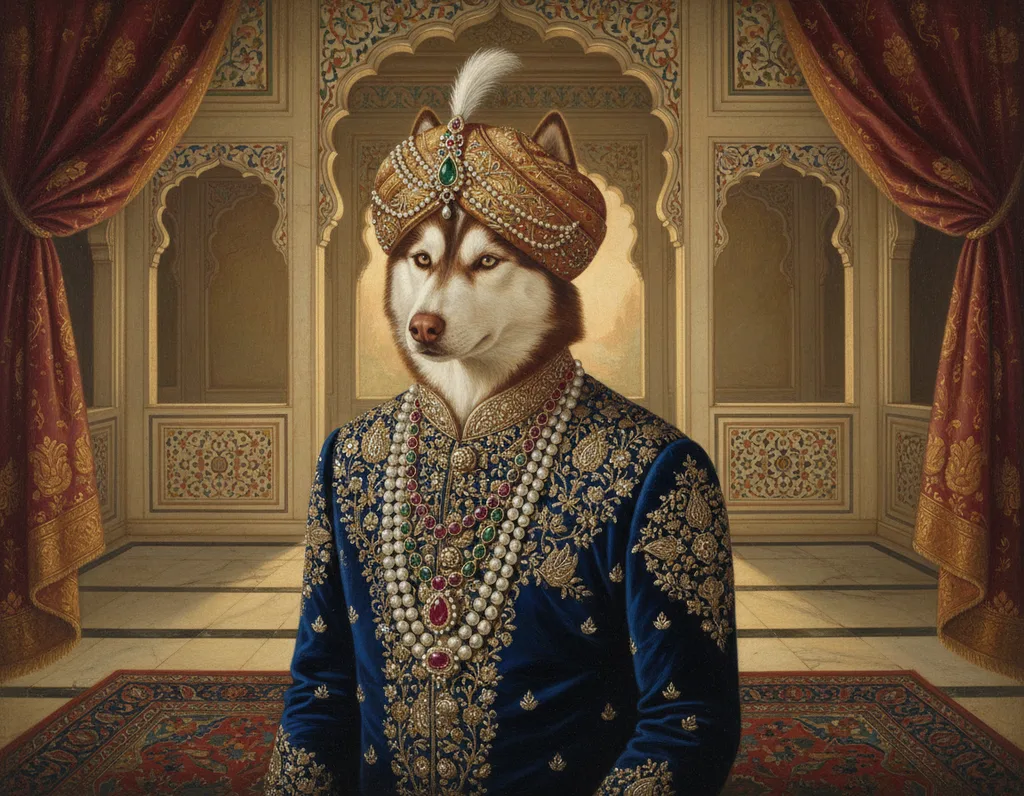
A digital download gives you a portrait as a file, and you decide how, where and on what it gets printed. This page lists the steps in order: check the file, choose the size and shape, pick a home printer or a print shop, set up the printer, make a test print, and let the print dry. It also lists the questions to ask a print shop. It belongs to the guide to art prints and paper, whose other pages explain each choice in more depth.
Step 1: check the file
Before you print, open the file and look at three things: its pixel size, its format and its shape.
Pixel size. The University of Chicago Press, in its guide for authors, says the pixel dimensions appear in the file's properties and in most photo editing programs. Divide each side by the pixels per inch you want to find the largest print. The page on print resolution explains the numbers and has a calculator for the four Purrealism sizes.
Format. Image files come in several formats, and they handle quality differently:
| Format | How it stores the image | What the sources say |
|---|---|---|
| TIF (TIFF) | Keeps all the image data | The University of Chicago Press prefers it for printing |
| PNG | Lossless compression | The World Wide Web Consortium's specification says the original data can be rebuilt exactly, bit for bit |
| JPG (JPEG) | Compression that discards some data | The University of Chicago Press says JPGs lose image data and quality each time they are saved |
If your download is a JPG, print from the original file. The press advises against editing or re-saving a JPG before it goes to print, and suggests keeping a copy of the original as a backup. If you want to make changes, save your edited version in a lossless format such as TIF or PNG.
Shape. Reduce the pixel width and height to a ratio, such as 3:4 or 2:3, and compare it with the paper. The page on print sizes and shapes shows how much each shape loses at each size.
Step 2: choose the size and what to do with the edges
When the image and the paper have different shapes, you have two choices. Fill the paper and trim two opposite edges of the image, or print the whole image and leave blank borders. Decide which one before you print, because the choice changes what appears at the edges.
A home printer limits the size. The University of Illinois Library's preservation guide says many inkjet prints in collections measure 8.5 × 11 inches or less. That is the US Letter format, which Markus Kuhn's guide to paper sizes at the University of Cambridge gives as 216 × 279 millimetres, half of a 17 × 22 inch basic sheet. An 8 × 10 inch print fits on that sheet with 0.25 inches to spare at each side and 0.5 inches at the top and bottom. The three larger sizes, 12 × 16, 18 × 24 and 24 × 36 inches, need a wider printer, which usually means a print shop.
Home printer or print shop
Size is one difference between a home printer and a shop printer. The ink set is another. The Image Permanence Institute says the most basic inkjet printers use four inks, cyan, magenta, yellow and black, while some high end printers add lighter inks such as light cyan, light magenta and greys, and extra colours such as orange, red, green, blue or violet, to widen the range of colours they can print. It dates wide format inkjet printing, for sheets wider than a desktop printer takes, to 1993.
The type of ink differs too. The University of Illinois guide says dye inks are cheaper and are used more widely in home and office printers, while pigment inks are more lightfast and resist water better. If your home printer uses dye inks, a print from it will need more care than a pigment print. Ask a print shop which kind it uses, and check your own printer's ink cartridges before you print.
Step 3: choose the paper
The paper matters as much as the printer. The Image Permanence Institute at Rochester Institute of Technology says plain paper absorbs ink in ways that dull the colour and soften the lines, so inkjet photo and art papers carry a coating that keeps the ink near the surface. The University of Illinois guide adds that the amount of ink in a picture usually makes plain paper cockle, meaning wrinkle and wave, and that commercially produced prints are usually made on coated papers.
Match the paper to the ink. The Institute says polymer-coated papers, which swell to take in the ink, are used with dye inks, because many pigment particles are too large to enter the coating. Porous-coated papers take both dye and pigment inks. The pages on matte and glossy paper and archival paper and inks explain these choices.
Step 4: set up the colour
Send the printer the colours it expects. The International Color Consortium, the group of companies behind the colour profile standard, says many printers have only an RGB interface. If you send them CMYK data, they convert it back to RGB before separating it into their inks, which can give a worse result. For these printers the Consortium advises leaving the file in RGB.
The Consortium also explains where colour profiles come from. A printer profile relates the printer's colour numbers to a standard colour space, and most profiles come from the device's manufacturer. On cheaper desktop printers, the profile is usually applied by the software that sends the job, such as a photo editor. The page on colour spaces for printing explains sRGB, Adobe RGB and profiles.
Step 5: make a test print
A small test print shows problems before you use a large sheet. Check three things on it:
- Sharpness. Rollins College's library suggests zooming to "actual size" or 200 percent on screen to look for blur, distortion or visible squares, and a test print shows the same things on paper.
- Colour. Look at the test print in the room and the light where the portrait will hang.
- Edges. Check whether the trim or the borders fall where you expected.
SUNY Broome's library gives one more check with the free GIMP editor: choose Image, then Print Size, and set the resolution to 300 pixels per inch. The size shown is the largest that prints well. It also warns that an image that looks good on a screen will not necessarily print well.
Step 6: let the print dry
A fresh inkjet print needs time. The Image Permanence Institute says polymer-coated papers can take from several minutes to several hours to dry fully, and that handling them while wet can smudge the ink. It advises letting every print dry fully after printing before it is stacked or interleaved with other sheets, to prevent spots, changes in surface shine and sheets sticking together. The University of Illinois guide says swellable papers can take up to 24 hours to dry completely, while porous papers dry at once.
Once dry, keep the print flat and covered until it is framed. The page on storing unframed prints covers sleeves, boxes and handling.
Questions to ask a print shop
The Image Permanence Institute recommends describing a print by its colorant, process, coating and support, in that order, for example "pigment inkjet on porous-coated baryta paper". Use the same order for your questions:
- Which ink do you use, pigment or dye?
- Which process: inkjet, or another method?
- Which paper and coating, and what is its weight in g/m²?
- Which file format and colour space do you want?
- Will you trim the image or add borders at this size?
- Can you make a small test print first?
The giclée printing page explains the word many shops use for inkjet art prints, and the paper weight page explains the g/m² figure.
What this means for a royal pet portrait
Purrealism offers each portrait as a digital download or as an art print in four sizes, 8 × 10, 12 × 16, 18 × 24 and 24 × 36 inches, on matte or glossy paper. You choose between them in the portrait studio. The download gives you the steps on this page. The art print leaves only the size and finish to choose.
Portraits with fine detail reward a careful test print. The Indian Royalty portraits in the gallery include a golden retriever wearing a royal crown and red robe, and small details such as a crown are the places to look for blur on a test print.
Questions and answers
What file format do printers prefer?
The University of Chicago Press accepts TIF, JPG or PNG files for printing and prefers TIF. It explains that JPG files lose image data and quality each time they are saved, so it asks authors to send TIF when they can. PNG, defined by the World Wide Web Consortium, uses lossless compression, which rebuilds the original data exactly.
Should I send a JPEG or a TIFF to a print shop?
A TIFF is the safer file to send to a print shop, because it does not lose image data when saved. The University of Chicago Press prefers TIF for this reason. If a JPEG is the only file you have, the press advises sending it without editing or re-saving it, and keeping a copy of the original file as a backup.
Does saving a JPEG again lower its quality?
Saving a JPEG again can lower its quality, because JPG compression discards some image data each time the file is saved. The University of Chicago Press says JPGs lose image data and quality each time they are saved, and asks authors not to edit or re-save a JPG before sending it. Open the original, make changes in a lossless format, and export once.
Can you print an 8 × 10 portrait on letter paper?
An 8 × 10 inch portrait fits on a sheet of letter paper, which measures 8.5 × 11 inches in the US Letter format, with a 0.25 inch margin at each side and 0.5 inches at the top and bottom when centred. The University of Illinois Library says many inkjet prints in collections measure 8.5 × 11 inches or less.
Why does a home print look dull on plain paper?
A home print looks dull on plain paper because the paper soaks up the ink. The Image Permanence Institute says plain paper absorbs ink in ways that reduce colour and line quality, which is why inkjet photo and art papers carry a coating that holds the ink near the surface. The University of Illinois Library adds that heavy ink can make plain paper wrinkle.
Should a printer use RGB or CMYK files?
A printer with only an RGB interface should receive RGB files. The International Color Consortium says many printers have only an RGB interface, so they convert any CMYK data back to RGB before turning it into ink, which can give a worse result. Converting to CMYK is worth doing only when the printer takes CMYK directly and you have a good profile for it.
How long does an inkjet print take to dry?
An inkjet print on porous paper dries at once, while a print on swelling polymer paper can take several minutes to several hours. The Image Permanence Institute says handling polymer-coated prints while wet can smudge the ink. The University of Illinois Library says swellable papers can take up to 24 hours to dry completely.
What should you ask a print shop before printing a portrait?
Before printing a portrait, ask a print shop which ink, process, coating and paper it will use. The Image Permanence Institute recommends describing a print in that order, for example pigment inkjet on porous-coated baryta paper. Also ask which file format and colour space it wants, whether it will trim or add borders, and whether it can make a small test print.
How do you check that a photo will print sharp?
A photo will print sharp when it has enough pixels for the paper size, which you can check before printing. SUNY Broome's library suggests opening the image in GIMP, choosing Image and then Print Size, and setting 300 pixels per inch to see the largest size that prints well. Rollins College's library suggests zooming to actual size to look for blur.
Where do you get a colour profile for a printer?
A colour profile for a printer usually comes from the printer's manufacturer, according to the International Color Consortium. The Consortium says that on cheaper desktop printers the profile is normally applied by the application software, such as a photo editor, and that each profile relates the printer's colour numbers to a standard colour space.
Sources
- Digital art requirements, University of Chicago Press. Accessed September 28, 2026.
- Portable Network Graphics (PNG) Specification (Third Edition), World Wide Web Consortium. Accessed September 28, 2026.
- ICC Frequently asked questions, International Color Consortium. Accessed September 28, 2026.
- IPI's Guide to Preservation of Digitally-Printed Images, Image Permanence Institute, Rochester Institute of Technology. Accessed September 28, 2026.
- Digital Prints, Preservation Self-Assessment Program, University of Illinois Library. Accessed September 28, 2026.
- A4 paper format / International standard paper sizes, Markus Kuhn, Department of Computer Science and Technology, University of Cambridge. Accessed September 28, 2026.
- Poster Printing Guidelines, SUNY Broome Community College Library. Accessed September 28, 2026.
- Design & Printing Tips: Poster Printing Guidelines, Olin Library, Rollins College. Accessed September 28, 2026.
Short reads on this topic
Articles from Purrspectives that answer one question each.
Cat wall art ideas: choosing a cat portrait for every room
Cat wall art for each room: the print size for a hall, living room, bedroom or small flat, the cat portrait that suits its colours, and where to keep it safe.
Dog wall art ideas: how to choose and hang a portrait of your dog
Good dog wall art fits its wall: pick a print size for the furniture below, hang it with its centre at eye level, and keep it out of direct sun.
How big is an 8 × 10 print? Pet portrait print sizes explained
An 8 × 10 print is 20.32 × 25.4 cm, with a 4:5 shape. See all four portrait print sizes in cm, plus the pixels, frames and mats each one needs.