Print resolution: how many pixels per inch an art print needs
Pixels per inch is the number of image pixels spread across each inch of paper. Here is how to work it out and what 300 and 150 ppi mean for a print.
By Purrealism. Part of Art prints and paper: how a portrait print is made, sized and kept.
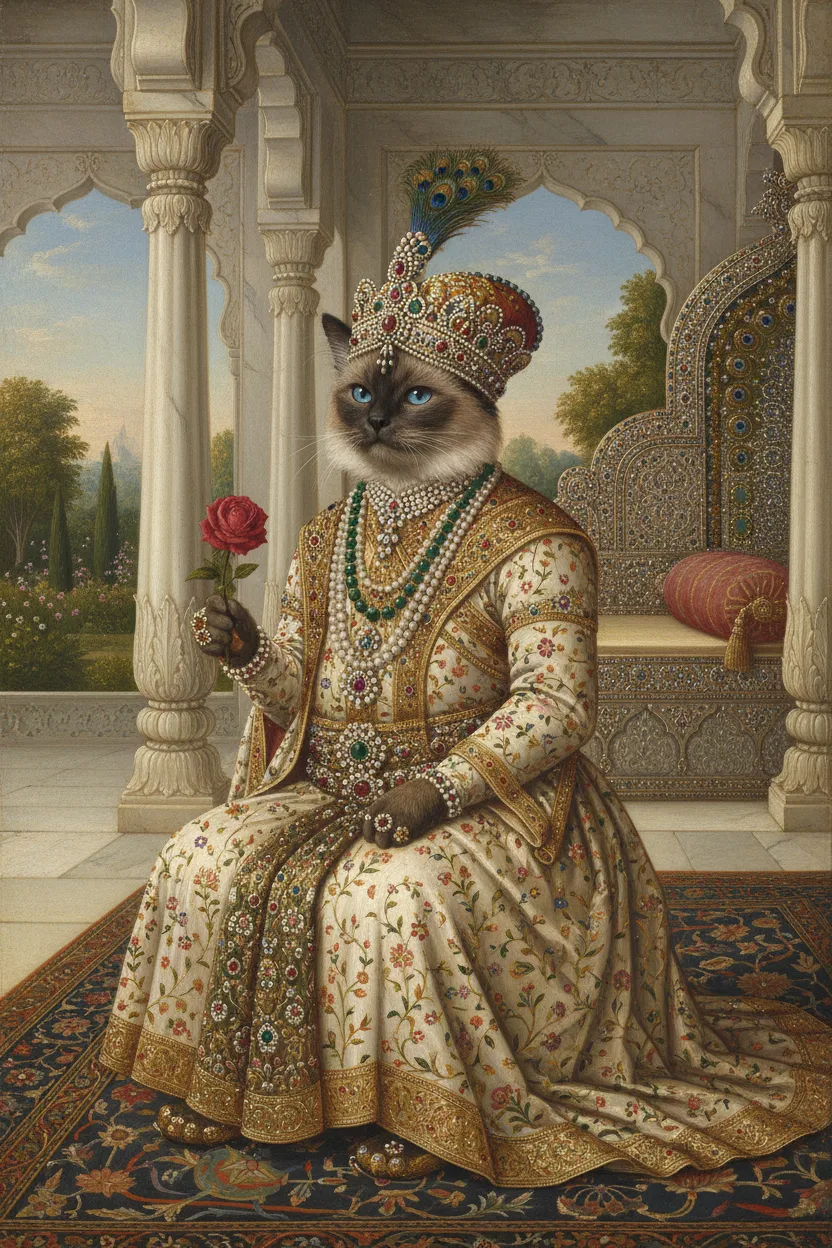
Print resolution tells you whether an image has enough pixels for the size of paper you want. A pixel is one of the tiny squares of colour that make up a digital image. When the image is printed, those squares are spread across the paper, and the number that lands on each inch is called pixels per inch, or ppi. This page explains how to work out that number for any photo and any print size, what the common figures of 300 and 150 mean, and why adding pixels later does not help. It is part of the guide to art prints and paper.
What pixels per inch means
A digital image has a fixed number of pixels across and down. A photo of 3,024 × 4,032 pixels has 3,024 pixels along its short side and 4,032 along its long side. The file itself has no size in inches. It gets a size in inches only when you decide how big to print it.
Once you choose a size, the pixels per inch follow from simple division. The University of Chicago Press, a university book publisher, explains the method in its guide for authors: divide the pixel dimensions by the resolution you need, and you get the largest size the image can print. Its example is an image of 1,200 × 3,600 pixels, which prints at 4 × 12 inches at 300 per inch.
The same division works in the other direction. Take the 3,024 × 4,032 photo and print it at 8 × 10 inches:
- 3,024 pixels ÷ 8 inches = 378 pixels per inch
- 4,032 pixels ÷ 10 inches = 403.2 pixels per inch
The two answers differ because the photo and the paper have different shapes. To fill the paper, the photo has to be trimmed on one pair of edges, and the lower figure, 378, is the one that counts. The page on print sizes and shapes explains that trim in detail.
PPI and dpi
You will often see dpi, dots per inch, used for the same idea. The Federal Agencies Digital Guidelines Initiative, a group of United States government agencies that sets standards for scanning collections, says dpi began as a printing term. It counted how many dots of ink a printer placed along one inch of paper. The group says that dpi and ppi are now often used for the same thing, and that scanner makers often give resolution in dpi.
The two ideas still describe different things. An inkjet printer has only a few ink colours. The Image Permanence Institute at Rochester Institute of Technology explains that inkjet printers build an image from a pattern of dots, and that the impression of lighter and darker tones comes from changing the size of the dots or the space between them. This is called halftoning. So the dpi figure on a printer's box counts the ink dots the machine can place, and the ppi of your image counts the pixels you give it. When a print shop asks for "300 dpi", it means 300 image pixels per inch of paper.
What the common figures mean
Three figures appear in the printing guides cited on this page. Here is what each source says about them.
| Pixels per inch at the final size | What the source says |
|---|---|
| 300 or more | The University of Chicago Press gives 300 as its standard print resolution for photographs and other images with continuous tones |
| 150 to 299 | SUNY Broome's library and Rollins College's library both ask for 150 to 300 per inch for printed posters |
| Under 150 | SUNY Broome's library says images below 150 per inch will look pixelated |
SUNY Broome's library also says that going above 300 does not raise quality and only makes the file slower to print. The University of Chicago Press uses a higher figure in one case only: for bitonal images, where every pixel is pure black or pure white, such as line drawings, it asks for 1,200 per inch.
The two lower figures come from college libraries that print large posters for students. The 300 figure comes from a book publisher, whose pages are read in the hand. Think about where the portrait will be seen. An 8 × 10 print on a desk is seen up close. A 24 × 36 print above a sofa is seen from across the room.
Working it out for each print size
To reach 300 pixels per inch, multiply each side of the print by 300. The table below does this for the four art print sizes that Purrealism offers, and adds the figure for 150 per inch.
| Print size | Pixels for 300 per inch | Pixels for 150 per inch |
|---|---|---|
| 8 × 10 in | 2,400 × 3,000 | 1,200 × 1,500 |
| 12 × 16 in | 3,600 × 4,800 | 1,800 × 2,400 |
| 18 × 24 in | 5,400 × 7,200 | 2,700 × 3,600 |
| 24 × 36 in | 7,200 × 10,800 | 3,600 × 5,400 |
Halving the pixels per inch cuts the number of pixels needed to one quarter, because both sides shrink by half. An 18 × 24 print needs 38,880,000 pixels at 300 per inch and 9,720,000 at 150 per inch.
Here is the same 3,024 × 4,032 photo checked against all four sizes, with the trim needed to match each paper shape:
| Print size | Pixels per inch after the trim | Photo trimmed |
|---|---|---|
| 8 × 10 in | 378 | 6 percent |
| 12 × 16 in | 252 | 0 percent |
| 18 × 24 in | 168 | 0 percent |
| 24 × 36 in | 112 | 11 percent |
Divide the other way and you get the largest print at each standard. At 300 per inch, the photo covers 10.08 × 13.44 inches (3,024 ÷ 300 and 4,032 ÷ 300). At 150 per inch it covers 20.16 × 26.88 inches. So the photo reaches 300 per inch only at the smallest of the four sizes. It falls within the 150 to 300 poster range at the two middle sizes, and below 150 at the largest.
Why a sharp screen image can print badly
SUNY Broome's library warns that an image that looks good on a computer screen will not necessarily print well. Rollins College's library gives a common cause: images copied from websites are usually saved at low resolution and are formatted for screens, which makes them unsuitable for printing. It suggests zooming to "actual size" or to 200 percent before printing, to look for blur or visible squares.
For a pet portrait, this means two things. Use the original file from the camera or the download, and check its pixel size before you choose a paper size. A copy saved from a web page may have fewer pixels than the original, for the reason Rollins College's library gives.
Adding pixels does not add detail
Photo editing programs can "upsize" an image, adding pixels to raise its resolution artificially. The University of Chicago Press says this does not produce usable results and can introduce further problems in the file. It asks its authors not to do it.
If a photo has too few pixels for the size you want, the two reliable choices are a larger original or a smaller print.
Checking a file before you print
The University of Chicago Press says the pixel dimensions are listed in the file's properties, and most photo editing programs show them when the file is open. SUNY Broome's library describes one free method with the GIMP image editor: open the image, choose Image and then Print Size, and set the resolution to 300 pixels per inch. The size in inches that appears is the largest size that will print well.
The print resolution calculator further down this page does the same work for the four Purrealism sizes. You type the pixel width and height, or let it read them from a photo you choose. For each size, it turns the print to match the photo, so a wide photo gets a wide print. It trims the photo at two opposite edges until the shapes match, then shows the pixels per inch after the trim, the band it falls in (300 or more, 150 to 299, or under 150) and the percent of the photo that was trimmed.
What this means for a royal pet portrait
A portrait from Purrealism comes as a digital download or as an art print in one of four sizes: 8 × 10, 12 × 16, 18 × 24 or 24 × 36 inches. If you order the art print, you choose the size and the paper finish in the portrait studio. If you choose the download and plan to print it yourself, check the file with the calculator first, and read the page on printing a digital download for the steps at home or at a print shop.
The photo you upload of your pet is a separate file. The studio takes one photo of up to 5 MB. The gallery shows finished portraits in several styles, and the page on colour spaces for printing explains why the colours of a print can differ from the colours on your screen.
Try it
Print resolution calculator
Enter a photo's width and height in pixels, or choose the photo. The calculator shows the pixels per inch at each print size and how much of the photo each size trims.
The starting numbers, 3024 × 4032, make a 12.2 megapixel photo.
| Print size | Pixels per inch | Band | Photo trimmed |
|---|---|---|---|
| 8 × 10 in | 378 | 300 ppi or more | 6 percent |
| 12 × 16 in | 252 | 150 to 299 ppi | 0 percent |
| 18 × 24 in | 168 | 150 to 299 ppi | 0 percent |
| 24 × 36 in | 112 | Under 150 ppi | 11 percent |
The print turns to match the photo: a wide photo gets a wide print. To fill the print, the photo is trimmed at two opposite edges until its shape matches the print, and the pixels per inch are counted after that trim.
Start a portraitQuestions and answers
What ppi for printing photos?
Printing photos calls for 300 pixels per inch at the final print size, according to the University of Chicago Press, which gives 300 dpi as its standard print resolution for photographs and other images with continuous tones. At that figure, an image 900 pixels wide prints 3 inches wide. SUNY Broome's library accepts 150 to 300 per inch for large posters that people view from further away.
What does ppi stand for?
PPI stands for pixels per inch. The Federal Agencies Digital Guidelines Initiative, a group of United States government agencies, uses it to describe the resolution of a digital image or of a scanner. For a print, pixels per inch tells you how many image pixels are spread along each inch of paper. More pixels in each inch let the print show finer detail.
What is the difference between ppi and dpi?
PPI counts image pixels in each inch, while dpi first counted dots of ink in each inch of a print. The Federal Agencies Digital Guidelines Initiative says dpi began as a printing term for ink dots and that the two terms are now often used for the same thing. Printers make each shade from many ink dots, so a printer's dpi figure describes the machine.
How do you work out the pixels per inch of a print?
The pixels per inch of a print is the number of pixels along one side of the image divided by the length of that side in inches. The University of Chicago Press gives the reverse example: an image of 1,200 × 3,600 pixels prints at 4 × 12 inches at 300 per inch. If the two sides give different results, the image and the paper have different shapes.
Is 150 ppi good enough for a print?
A print at 150 pixels per inch sits at the bottom of the range that SUNY Broome's library accepts for posters, which is 150 to 300 per inch at the final size. The library says images below 150 per inch will look pixelated, which it describes as blurred. The University of Chicago Press sets 300 per inch as its standard for photographs.
Is more than 300 ppi better for printing?
More than 300 pixels per inch rarely helps a print. SUNY Broome's library asks people not to send images above 300 dots per inch, because a higher figure does not increase quality and makes the file take longer to print. The University of Chicago Press uses higher figures only for pure black and white line art, where it asks for 1,200 per inch.
Can you add pixels to a photo to print it bigger?
Adding pixels to a photo in editing software makes the file larger without adding real detail. The University of Chicago Press says that upsizing an image to add resolution artificially does not produce usable results and can cause new problems in the file, so it asks authors not to do it. The better route is a larger original file, or a smaller print size.
Why does a photo look sharp on screen but blurry in print?
A photo can look sharp on a screen and blurry in print when it has too few pixels for the paper size. SUNY Broome's library warns that an image that looks good on a computer screen will not necessarily print well. Rollins College's library adds that images taken from websites are usually saved at low resolution for screens and are unsuitable for printing.
How many pixels does an 18 × 24 print need?
An 18 × 24 inch print needs 5,400 × 7,200 pixels to reach 300 pixels per inch, the standard the University of Chicago Press gives for photographs. That is 38,880,000 pixels in total. At 150 per inch, the lowest figure SUNY Broome's library accepts for posters, the same print needs 2,700 × 3,600 pixels, which is one quarter as many pixels.
How do you check the pixel size of a photo?
The pixel size of a photo is listed in the image file's properties, and most photo editing programs show it when the file is open, according to the University of Chicago Press. SUNY Broome's library describes one free method: open the image in GIMP, choose Image, then Print Size, and set the resolution to 300 pixels per inch to see the largest size that prints well.
Sources
- Digital art requirements, University of Chicago Press. Accessed September 28, 2026.
- Poster Printing Guidelines, SUNY Broome Community College Library. Accessed September 28, 2026.
- Design & Printing Tips: Poster Printing Guidelines, Olin Library, Rollins College. Accessed September 28, 2026.
- DPI, Federal Agencies Digital Guidelines Initiative. Accessed September 28, 2026.
- PPI, Federal Agencies Digital Guidelines Initiative. Accessed September 28, 2026.
- IPI's Guide to Preservation of Digitally-Printed Images, Image Permanence Institute, Rochester Institute of Technology. Accessed September 28, 2026.
Short reads on this topic
Articles from Purrspectives that answer one question each.
Cat wall art ideas: choosing a cat portrait for every room
Cat wall art for each room: the print size for a hall, living room, bedroom or small flat, the cat portrait that suits its colours, and where to keep it safe.
Dog wall art ideas: how to choose and hang a portrait of your dog
Good dog wall art fits its wall: pick a print size for the furniture below, hang it with its centre at eye level, and keep it out of direct sun.
How big is an 8 × 10 print? Pet portrait print sizes explained
An 8 × 10 print is 20.32 × 25.4 cm, with a 4:5 shape. See all four portrait print sizes in cm, plus the pixels, frames and mats each one needs.