Choosing a memorial photo: finding the right picture of a pet who died
How to find every photo of a pet who died, recover deleted ones, choose the picture the family wants to remember, and keep the files safe.
By Purrealism. Part of Pet memorial portraits: remembering a dog or cat who has died.
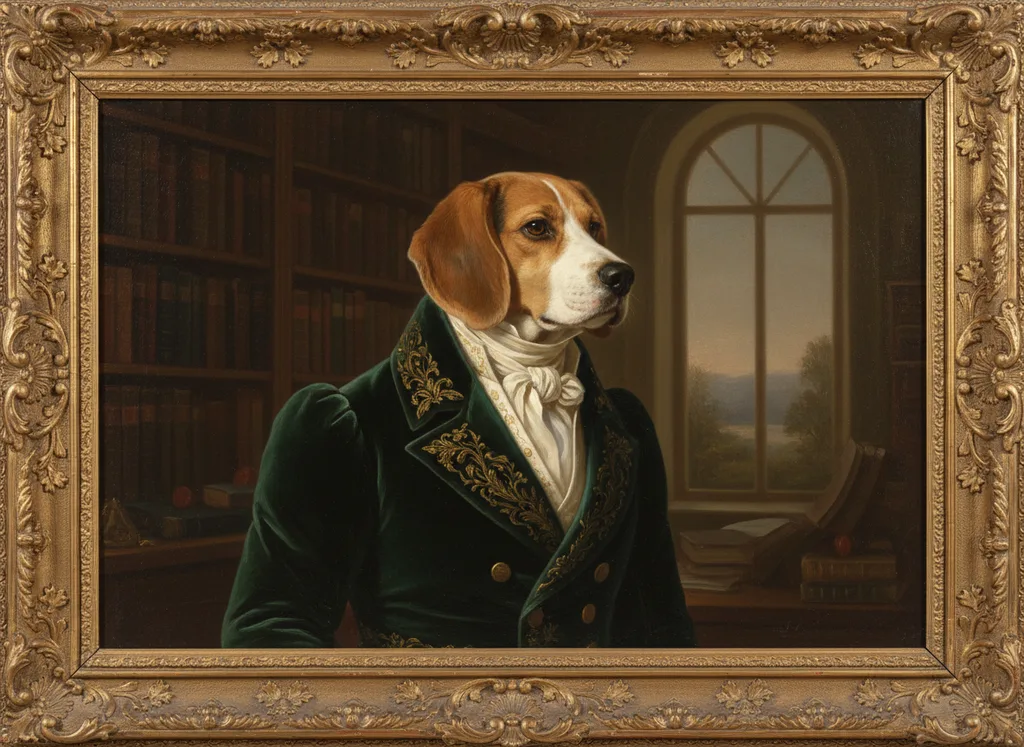
After a pet dies, you cannot take a new photo. The pictures you already have become the only source for a portrait, a scrapbook or a frame. This page explains how to find every photo of your dog or cat across phones, accounts and family members, how to recover pictures deleted by mistake, how to choose the one picture your family wants to remember, and how to keep the files safe. For camera technique, such as light and angle, read our article on how to photograph your pet for a portrait. For the full set of steps toward a memorial portrait, see the main guide to pet memorial portraits.
Go at your own pace
Looking through years of photos soon after a loss can be hard. The University of Florida College of Veterinary Medicine lists a scrapbook or photo album among the ways to remember a pet, so the search can be part of grieving. But there is no deadline. If you are not ready, ask a family member or a friend to collect the photos into one album for you, and come back to them later.
Where photos of your pet may be
Photos of a pet are often spread across phones, computers, cloud accounts and other people's devices.
Your phone's own pet album
Phones can now sort a library by animal. Apple says that starting with iOS 17, iPadOS 17 and macOS Sonoma, the Photos app detects pet photos and videos and places them in the People & Pets album. To do this, the iPhone or iPad must be locked and connected to power. Apple says the sorting can finish quickly or take up to a few days, depending on the size of the library.
Google Photos does something similar. Google Photos Help says the app groups photos by similar faces, including pets, under Collections and then People & pets. You can add a name or nickname to a group, and then search your whole library by that name. Google says the labels you choose are private to you, even if you share the photos. It also says the feature is not available in every region or for every account type.
Once a pet has its own album or label, you can scroll through years of pictures of that one animal in a few minutes.
The trash album
In the first days after a death, some owners delete photos they cannot bear to see, or clear space on a full phone. Those photos may still be recoverable.
- iPhone, iPad and Mac: Apple says a deleted photo or video goes to the Recently Deleted album and stays there for 30 days. After 30 days it is permanently deleted and cannot be recovered.
- Google Photos: Google Photos Help says items in the trash are permanently deleted after 30 days. You can restore an item only if it is still in the trash and you have not emptied the trash.
If a favourite picture seems to be missing, check the trash before anything else. Do not empty it until you are sure you have what you need.
Old accounts and old devices
A pet who lived 15 years may appear in photos on phones you no longer use, on an old laptop, or in an email or cloud account you rarely open. Google Photos Help warns that if you are inactive in Google Photos for two years or more, your content may be deleted. If you have an old account with photos of your pet, sign in and download the pictures soon.
Other people's phones
Family members, friends, dog walkers, pet sitters and groomers may all have pictures you have never seen. The shelter or breeder may have a photo from adoption day. Ask them. When they send a photo, ask for the original file from their photo library, because the largest version keeps the most detail.
The University of Florida suggests asking family and friends who knew your pet to write down something special they remember, for a scrapbook or album. A request for photos and a request for memories can go in the same message.
Videos
Many recent memories are videos. If the best view of your pet's face is in a video, pause at a moment where the face is clear and not moving, and save that frame as a photo or a screenshot. A frame from a video often has less detail than a photo, so compare it with any photos you have from the same time.
Printed photos
For a pet from the years before phone cameras, the best photos may be prints in an album or a drawer. Our page on restoring and scanning old pet photos explains how to handle, scan and store them without damage.
Make a short list
When the photos are gathered, put your favourites in one album or folder. Then narrow them down in stages:
- Choose every photo that makes you think "that is her" or "that is him". Aim for 20 or fewer.
- Remove any where the face is hidden, turned away or blurred.
- Show the rest to your family and ask each person to pick three.
- Look for the photos that more than one person picked.
The Ohio State University Veterinary Medical Center reminds families that each member may have had a different bond with the pet and may grieve differently. One person may remember the playful puppy and another the calm old dog by the fire. A short list chosen together lets everyone take part.
Which pet do you want to remember?
A portrait shows one moment, so it helps to decide which part of your pet's life you want to see every day.
| Choice | What it shows | Things to think about |
|---|---|---|
| Young pet | Energy, bright eyes, the first years together | May not match how younger family members remember the pet |
| Adult pet in its prime | The pet as it looked for most of its life | Often the easiest to recognize for everyone |
| Senior pet | Grey muzzle, softer eyes, the last years | Shows the pet as you knew it most recently |
| Last days | Strong feelings from the end of life | Often shows illness, a shaved patch or a medical collar |
There is no wrong answer. A family can order two portraits, one young and one old. Others keep the portrait for the prime years and put the final photos in an album or a memory box, which Ohio State lists among memorial ideas.
Think about the pet's expression too. A dog with its ears up and head tilted, or a cat with the half-closed eyes of a nap in the sun, may say more about its character than a formal pose.
What the portrait needs from the photo
The Purrealism portrait studio takes one photo of up to 5 MB. The clearer the face in that one photo, the more the portrait will look like your pet. The article on how to photograph your pet for a portrait lists what makes a photo work, such as sharp eyes and a face with nothing in front of it.
The photo checker further down this page helps with the final choice. It reads a photo in your browser and shows its pixel size, its file size against the 5 MB limit, its brightness and its sharpness. The photo never leaves your device.
If your chosen photo is larger than 5 MB, most phones can export a smaller copy. Keep the full-size original as well.
Keep the photos safe
Once you have found the photos of your pet, protect them. They cannot be replaced.
The U.S. National Archives recommends the 3-2-1 rule for important files: three copies, stored on two different kinds of storage, with one copy kept off-site. It also suggests file names that use only letters, numbers, hyphens and underscores, and adding basic information to each file: who, what, where and when.
The Library of Congress gives similar advice in its guide to personal collections. It suggests at least two copies, for example one on a computer and others on a portable drive or online storage, kept in different places as far apart as practical. It also suggests moving your files to current storage every five to seven years, because storage devices age.
A simple plan for a pet's photos:
- Put every photo of the pet in one folder named with the pet's name and years, for example "Biscuit-2011-2026".
- Keep that folder on your computer.
- Copy it to a portable drive that lives in a different room or house.
- Copy it to an online account.
- Share the folder with family, so each person has the pictures.
Next steps
With a photo chosen, you can think about the words that go with it. Our page on writing a pet dedication shows short examples. If you plan to unveil the portrait on a special date, our page on anniversaries of a pet's death has ideas for the day.
Try it
Photo checker
Choose the photo you plan to use. The checker measures its size, pixels, brightness and sharpness in your browser. The photo never leaves your device.
Questions and answers
How do I find all the photos of my pet on an iPhone?
To find all the photos of a pet on an iPhone, open the People & Pets album in the Photos app. Apple says that starting with iOS 17, the Photos app detects pet photos and videos and places them there. The phone must be locked and connected to power while it sorts the library, which can take from a short time to a few days.
Can I recover a deleted photo of my pet on an iPhone?
A deleted photo of a pet can be recovered on an iPhone if it was deleted within the last 30 days. Apple says deleted photos and videos go to the Recently Deleted album and stay there for 30 days. After that they are permanently deleted and cannot be brought back, so check this album soon after a loss.
How long do deleted photos stay in the Google Photos trash?
Deleted photos stay in the Google Photos trash for 30 days before they are permanently deleted. Google Photos Help says you can restore an item only if it is still in the trash and you have not emptied the trash. Look there first if a favourite picture of your pet seems to be missing.
How do I find photos of my pet in Google Photos?
To find photos of a pet in Google Photos, open Collections and then People & pets. Google Photos Help says the app groups similar faces, including pets, and lets you add a name or nickname to a group. Once the pet's group has a label, you can search your library by that name. The feature is not available in every region.
Which age should a memorial portrait of a pet show?
A memorial portrait of a pet should show the age your family most wants to see every day. Many families choose the years when the pet was healthy and active with them. Others choose the grey face of old age, because that is the pet they knew last. Ask each family member which picture comes to mind first, then look for a clear photo from that time.
Should a memorial portrait use a photo from the pet's last days?
A photo from a pet's last days carries strong feelings but often shows illness, a shaved patch or a medical collar. For a portrait that will hang for years, a clear photo from a healthier time shows the face without those marks, and the last photos can go in an album. The Purrealism studio takes one photo of up to 5 MB, so choose the single picture you most want on the wall.
Can a video of my pet be used for a memorial portrait?
A video of a pet can supply a still image for a memorial portrait when no good photo exists. Pause the video where the face is clear and still, and save that frame as a photo or screenshot. A frame from a video often has less detail than a photo taken at the same moment, so compare it with any photos you have before you choose.
How should I back up photos of a pet who has died?
Back up photos of a pet who has died by keeping at least three copies. The U.S. National Archives recommends the 3-2-1 rule: three copies, on two different kinds of storage, with one copy kept in another location. The Library of Congress suggests keeping copies as far apart as practical, such as one on a computer and one online.
How often should digital pet photos be moved to new storage?
Digital pet photos should be moved to current storage every five to seven years. The Library of Congress gives that interval in its guide to scanning personal collections, because storage devices and formats age. Google Photos Help also warns that content may be deleted from accounts that are inactive for two years or more, so check old accounts too.
How can I check a pet photo before starting a memorial portrait?
You can check a pet photo before starting a memorial portrait with Purrealism's photo checker, which sits on its guide to choosing a memorial photo. It reads the photo in your browser and shows the pixel size, the file size against the 5 MB limit, the brightness and the sharpness. The photo never leaves your device, which matters when the picture is one you cannot replace.
Should the whole family agree on the memorial photo?
Involving the whole family in choosing a memorial photo helps, because each person may remember the pet differently. The Ohio State University Veterinary Medical Center says family members may have had different bonds with a pet and may grieve in different ways. A short list of three photos, chosen together, lets everyone take part before one is picked.
Sources
- If you can't find pets in the People & Pets album in Photos, Apple Support. Accessed September 28, 2026.
- How to recover deleted photos on your iPhone, iPad, Mac, or Apple Vision Pro, Apple Support. Accessed September 28, 2026.
- Restore recently deleted photos & videos, Google Photos Help. Accessed September 28, 2026.
- Set up & manage your face groups, Google Photos Help. Accessed September 28, 2026.
- Digitizing Family Papers and Photographs, U.S. National Archives and Records Administration. Accessed September 28, 2026.
- Scanning Your Personal Collections, Library of Congress. Accessed September 28, 2026.
- Coping with the Loss of a Pet: A Guide for Adults, Children and Surviving Animals, The Ohio State University Veterinary Medical Center. Accessed September 28, 2026.
- Ways to Memorialize Your Pet, University of Florida College of Veterinary Medicine. Accessed September 28, 2026.
Short reads on this topic
Articles from Purrspectives that answer one question each.
Dog birthday ideas: how to celebrate your dog's birthday, plus gift ideas
Celebrate your dog's birthday with a favourite walk, a play date, a dog-safe treat and a yearly photo. Plus dog birthday gift ideas for the dog and the family.
Cat wall art ideas: choosing a cat portrait for every room
Cat wall art for each room: the print size for a hall, living room, bedroom or small flat, the cat portrait that suits its colours, and where to keep it safe.
Funny pet portraits: why a dog on a throne makes us smile, and 10 ideas to try
Funny pet portraits put a dog or cat in a serious human role. How Landseer and Wegman used the joke, and 10 royal portrait ideas matched to your pet's habits.