Restoring old pet photos: saving prints, slides and negatives of a pet who died
How to handle, scan, store and repair old prints, slides and negatives of a pet who died, using advice from the Library of Congress and conservation experts.
By Purrealism. Part of Pet memorial portraits: remembering a dog or cat who has died.
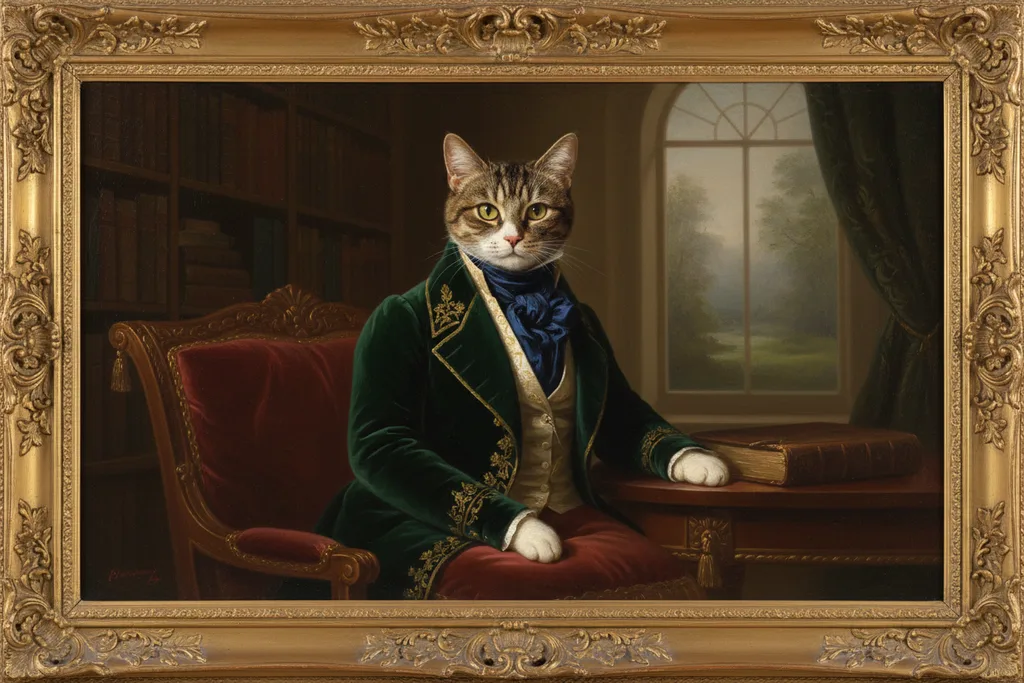
Many of the dogs and cats we remember most lived before phone cameras. Their photos sit in albums, shoeboxes and old frames, and some are faded, stuck or scratched. This page explains how to handle those prints, slides and negatives safely, how to scan them for a memorial portrait, how to store the originals, and when to ask a professional for help. It uses guidance from the Library of Congress, the U.S. National Archives and the Canadian Conservation Institute, which is part of the Government of Canada. If you only need a quick copy of a print with your phone, the article on how to photograph your pet for a portrait explains how. The main guide to pet memorial portraits covers the other steps toward a portrait.
Why old pet photos need care
The Canadian Conservation Institute says photographs are among the most common items in a household, and that they deteriorate chemically and physically. It says this decline cannot be stopped entirely, but it can be slowed with good handling, care and storage.
The institute names the main causes of damage: heat, humidity, light, pollution, poor framing and rough handling. Dry air makes prints curl. Damp air leads to mould. Light, especially direct sunlight, causes fading, and colour photographs are more sensitive to light than black and white ones. The institute explains that colour film and prints contain dyes that fade both in the light and in the dark.
For a family remembering a pet who died years ago, this matters. A print that has already faded on a sunny shelf will keep fading if it stays there. The first step is to get it somewhere safe.
Handle prints gently
The Library of Congress suggests wearing clean, lint-free cotton or nitrile gloves when handling photographs and film, because fingerprints can mark them. It also says photographs dent and crease easily, so gloves should fit well. Wash and dry your hands first, and work on a clean table.
The Canadian Conservation Institute adds a warning about curled or stuck prints: never curl or peel back a photo, because it may stay curled or crack or tear.
Old albums and stuck photos
Many family albums have self-stick pages covered with a plastic sheet. The Canadian Conservation Institute says the glue on these pages can stain or damage photos, and that photos become harder to remove the longer they stay. It says photos can usually be lifted within a year or two by sliding a thin knife under the edge, but that after many years it is more difficult.
The Library of Congress gives a safer method for older albums. If there is no photo on the other side of the page, cut around the photo while it is still attached. If the glue has fully dried out, try sliding a thin card behind the photo to release it. If you cannot free a photo without creasing, tearing or curling it, or if the album itself is worth keeping, consult a photograph conservator.
The Canadian Conservation Institute also says that old albums with paper pages are probably not harming the photos, and that removing the photos might cause damage. Old family albums often carry handwritten captions about people, places and pets, which are worth keeping as they are. In that case, scan the whole page with the photo in place.
Photos stuck to glass
A photo left for years in a frame, pressed against the glass, can stick to it. The Library of Congress says it is difficult and often impossible to separate photographs stuck to glass, or to each other, without serious damage. It advises consulting a photograph conservator to find out whether the photo can be saved at all.
Before anyone tries, take a photo of the print through the glass with your phone, or scan the whole frame face down if it fits on the scanner. That way you keep an image even if the separation fails.
Cleaning
The Canadian Conservation Institute says a soft brush is usually enough to remove surface dirt from a print. It advises leaving more extensive work to a professional conservator, because moisture and solvents can easily damage photographs. Keep water and household cleaners away from the image.
The Library of Congress also asks you to clean the scanner glass before scanning, and to remove dirt and particles from the photo as far as you can without damaging it, because the scanner records everything on the glass. Remove paper clips, staples and tape from the edges before the photo goes on the scanner.
Scanning for a memorial portrait
The Library of Congress gives these settings in its guide to scanning personal collections:
| What you are scanning | Setting suggested by the Library of Congress |
|---|---|
| 4 × 6 or 5 × 7 inch print, normal use | 300 dpi |
| 4 × 6 or 5 × 7 inch print to enlarge to 8 × 10 inches or more | 400 to 600 dpi |
| Slides | 1,900 dpi, because slides are much smaller than prints |
| Black and white photo | Greyscale, a range of up to 256 grey tones |
| Colour photo | Colour |
Dpi means dots per inch: the number of image dots the scanner records across each inch of the original. More dots per inch means more detail and a larger file.
The numbers work out simply. A 4 × 6 inch print scanned at 300 dpi gives an image 1,200 by 1,800 pixels. The same print scanned at 600 dpi gives 2,400 by 3,600 pixels, four times as many pixels in all. For a memorial portrait, the higher setting keeps more of the fur, the whiskers and the eyes.
The Library of Congress suggests saving a colour scan as a high-quality JPEG if you plan to reprint the photo or enlarge it to 8 × 10 inches. The Purrealism portrait studio takes one image file of up to 5 MB. If a high-quality scan is larger than that, save a second, smaller copy for the studio and keep the full scan as your master file.
The print resolution calculator further down this page takes a photo's width and height in pixels and shows the pixels per inch at each of the four Purrealism print sizes, and how much of the image each size crops. Pixels per inch is how many image pixels fall along each inch of the finished print.
Scanner safety for fragile prints
The U.S. National Archives gives three rules for scanning family papers and photographs:
- Make sure the whole original fits on the scanner glass. The lid can crush and crease a print that hangs over the edge.
- Do not use automatic feed scanners for fragile, bent or valuable items. They can jam and tear them.
- Handle originals carefully during scanning, whether you scan them yourself or pay a company.
Slides and negatives
Some families have a pet's pictures only as slides or negatives. The Library of Congress says slide trays are available for flatbed scanners, and that standalone slide scanners are another option.
The Canadian Conservation Institute gives advice on negatives. Wear lint-free cotton or nylon gloves, pick negatives up by the edges, and never fold them. Store them in sleeves of uncoated polyethylene or polyester, or in acid-free paper envelopes, and write details on the sleeve before the negative goes in, never on the negative itself.
The institute also describes two warning signs. Old acetate-based negatives may develop a vinegar-like smell, which means a chemical reaction has started, and may warp or wrinkle. Older nitrate film softens and fades as it breaks down, and the gases it releases are toxic. The institute says storing large amounts of nitrate film is a fire and health risk. If you find old negatives that smell or look damaged, scan the best ones soon, and ask a conservator about the rest.
Faded, stained and damaged photos
The Canadian Conservation Institute gives a practical answer for a faded or stained print. It says it may be less expensive to have the photo copied, since some stains can be filtered out in the copy, or to have it scanned, enhanced digitally and then printed on photographic paper. It advises against printing copies on ordinary computer paper, because they fade quickly.
The Library of Congress says that conservation work on a damaged photo takes time and costs money to do correctly. If the damage is minor and the photo is rarely handled, it suggests leaving it as it is and improving its storage. If the photo is valuable, has damage that is getting worse, or is handled often, it advises consulting a photograph conservator. For wet or mouldy photos, it says to take safety precautions first, because some kinds of photographs cannot survive any contact with water.
A digital repair works on the scan and leaves the original untouched. Removing a scratch or brightening a faded face on a copy is a safe way to prepare a photo for a portrait.
Keep the original
After scanning, it can be tempting to throw away a damaged print. The U.S. National Archives advises the opposite: keep your originals after you digitize them, because digital files have their own risks and can easily be lost. The Canadian Conservation Institute agrees, and says the originals are still needed after scanning, because hardware and software become obsolete and equipment fails.
To store the original:
- Put prints in clear polyester (Mylar) sleeves, or in acid-free envelopes or boxes, as the Canadian Conservation Institute suggests.
- Write the pet's name, the year and the place on the envelope, or on the border or back of the print, with a soft HB pencil. The institute warns that ballpoint and felt-tip pens can bleed through and damage the image.
- Keep the box in a cool, dry room. The institute says basements, attics and garages are poor places, because temperature and humidity change too much.
- Avoid glue, rubber cement, tape and staples. The institute lists all of these as harmful.
The Library of Congress adds that all products that touch photographs should pass the Photographic Activity Test, an international test (ISO 18916) for storage materials.
Display a copy
The Library of Congress says that all photographs exposed to light suffer irreversible damage over time, even behind glass that filters ultraviolet light. For a photo of personal value, it suggests framing a copy and keeping the original in good storage. The Canadian Conservation Institute says photos should not be displayed in direct sunlight or under bright lights, and that a photo in a frame should not touch the glass.
This is one reason some families choose a portrait made from the scan for the wall, and keep the original print safe in a box. Our page on choosing a photo for a memorial portrait explains how to pick between several photos, and the page on writing a pet dedication covers the words to put with it.
Try it
Print resolution calculator
Enter a photo's width and height in pixels, or choose the photo. The calculator shows the pixels per inch at each print size and how much of the photo each size trims.
The starting numbers, 3024 × 4032, make a 12.2 megapixel photo.
| Print size | Pixels per inch | Band | Photo trimmed |
|---|---|---|---|
| 8 × 10 in | 378 | 300 ppi or more | 6 percent |
| 12 × 16 in | 252 | 150 to 299 ppi | 0 percent |
| 18 × 24 in | 168 | 150 to 299 ppi | 0 percent |
| 24 × 36 in | 112 | Under 150 ppi | 11 percent |
The print turns to match the photo: a wide photo gets a wide print. To fill the print, the photo is trimmed at two opposite edges until its shape matches the print, and the pixels per inch are counted after that trim.
Start a portraitQuestions and answers
What resolution should I scan an old pet photo at?
Scan an old pet photo at 300 dpi for normal use, or at 400 to 600 dpi if you plan to enlarge it. The Library of Congress gives these settings for 4 × 6 and 5 × 7 inch prints, and says the higher setting suits enlargements of 8 × 10 inches or more. Dpi means dots per inch, the detail the scanner records across each inch.
How should I store old printed photos of a pet?
Store old printed photos of a pet in clear polyester sleeves or acid-free envelopes or boxes, in a cool, dry room. The Canadian Conservation Institute gives this advice and warns that basements, attics and garages are poor places for photos, because their temperature and humidity change too much. Keep prints away from heat vents, damp spots and direct sunlight.
How do I remove a pet photo stuck in an old album?
To remove a pet photo stuck in an old album, the Library of Congress suggests cutting around the photo while it is still attached to the page, if nothing is on the other side. If the glue has dried out, sliding a thin card behind the photo may release it. If the photo starts to crease, tear or curl, stop and consult a photograph conservator.
Can a pet photo stuck to the glass of a frame be saved?
A pet photo stuck to the glass of a frame is hard to save, and removing it yourself can destroy it. The Library of Congress says it is difficult and often impossible to separate a photograph from glass without serious damage, and advises consulting a photograph conservator first. Photograph the print through the glass before anyone tries, so you keep a copy.
How do I clean dust off an old pet photograph?
Clean dust off an old pet photograph with a soft brush. The Canadian Conservation Institute says a soft brush is usually enough to remove surface dirt from prints. It advises leaving more extensive cleaning to a professional conservator, because photographs are easily damaged by moisture and solvents. Clean the scanner glass too, so dust does not appear in the scan.
Why do old colour photos of pets fade?
Old colour photos of pets fade because the dyes in colour prints break down in light and over time. The Canadian Conservation Institute says colour film and prints contain dyes that fade in both light and dark, and that direct sunlight speeds up fading. It adds that colour photographs are more sensitive to light than black and white ones.
What should I write on the back of an old pet photo?
Write the pet's name, the year and the place on the back of an old pet photo, using a soft HB pencil. The Canadian Conservation Institute says ballpoint and felt-tip pens can bleed through the paper and damage the image. It suggests writing on the storage envelope or along the border or back of the print instead of on the image.
Should I keep the original pet photo after scanning it?
Keep the original pet photo after scanning it. The U.S. National Archives says to keep originals after you digitize them, because digital files have their own risks and can easily be lost. The Canadian Conservation Institute agrees that originals should be kept after scanning, since computer equipment fails and file formats become obsolete over time.
How do I scan old slides of my pet?
Scan old slides of a pet at a higher setting than prints, because slides are much smaller. The Library of Congress gives 1,900 dpi as a guide for slides in its guide to scanning personal collections. It says slide trays are available for flatbed scanners, and that standalone slide scanners are another option.
What should I do with old film negatives of my pet?
Old film negatives of a pet should be handled by the edges and stored in sleeves of uncoated polyethylene or polyester, or in acid-free paper envelopes. The Canadian Conservation Institute gives this advice. It says a vinegar smell from old negatives signals a chemical reaction, and that old nitrate film releases toxic gases and is a fire risk.
Can a faded or stained pet photo be restored?
A faded or stained pet photo can often be improved as a copy while the original stays untouched. The Canadian Conservation Institute says it may be less expensive to have the photo copied, or scanned, enhanced digitally and printed on photographic paper. For a valuable or fragile original, the Library of Congress advises consulting a photograph conservator.
Sources
- Scanning Your Personal Collections, Library of Congress. Accessed September 28, 2026.
- Photographs: FAQ, Library of Congress Preservation. Accessed September 28, 2026.
- Basic care: Photographic materials, Canadian Conservation Institute, Government of Canada. Accessed September 28, 2026.
- Digitizing Family Papers and Photographs, U.S. National Archives and Records Administration. Accessed September 28, 2026.
Short reads on this topic
Articles from Purrspectives that answer one question each.
Dog birthday ideas: how to celebrate your dog's birthday, plus gift ideas
Celebrate your dog's birthday with a favourite walk, a play date, a dog-safe treat and a yearly photo. Plus dog birthday gift ideas for the dog and the family.
Cat wall art ideas: choosing a cat portrait for every room
Cat wall art for each room: the print size for a hall, living room, bedroom or small flat, the cat portrait that suits its colours, and where to keep it safe.
Funny pet portraits: why a dog on a throne makes us smile, and 10 ideas to try
Funny pet portraits put a dog or cat in a serious human role. How Landseer and Wegman used the joke, and 10 royal portrait ideas matched to your pet's habits.